Visual Inventory System
A comprehensive overview of Visual Inventory Systems, their importance in logistics, historical development, core concepts, and applications in modern supply chain management.
Updated
Overview
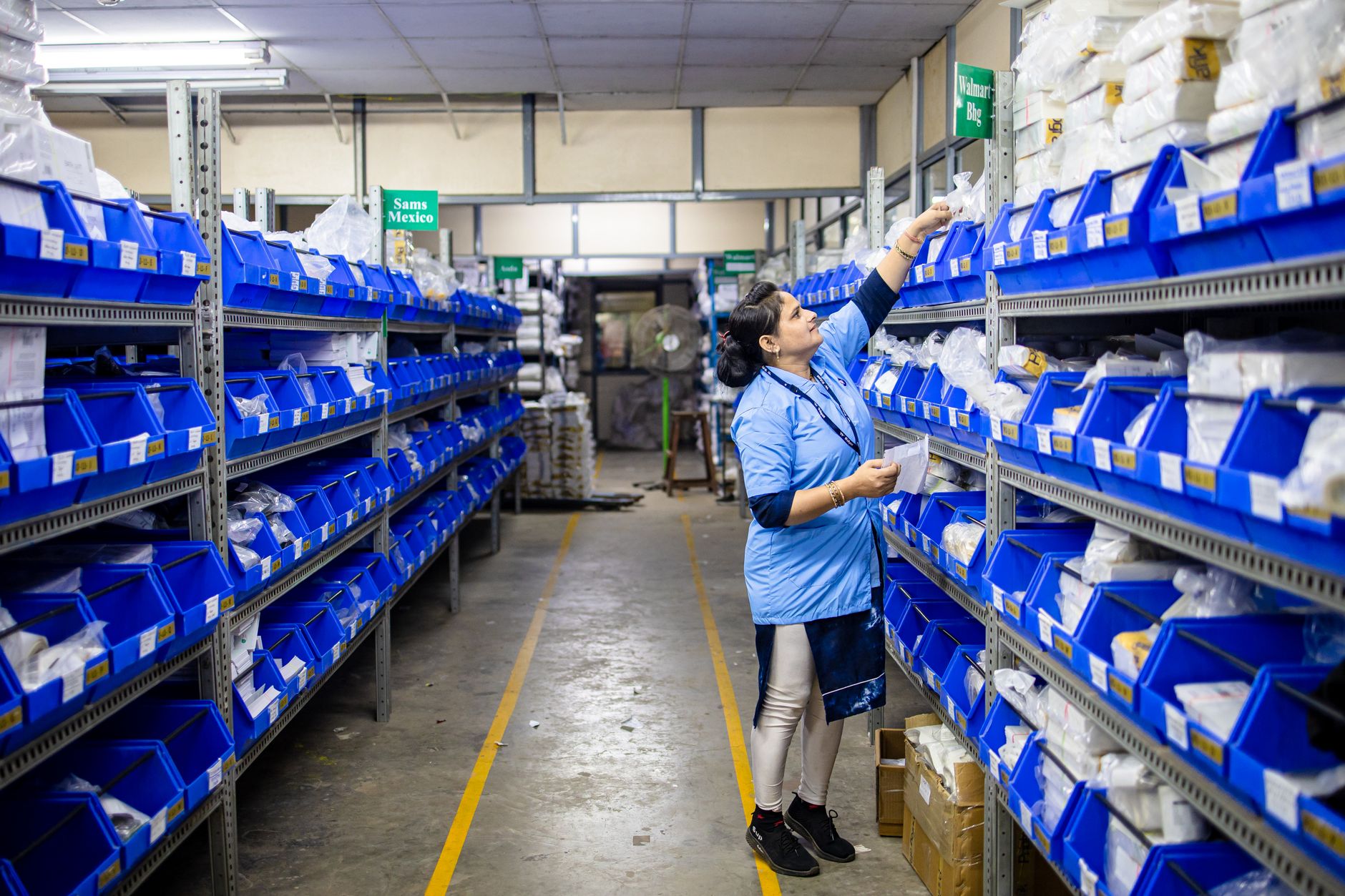
A Visual Inventory System is a method that enhances a business's inventory management through visual cues and indicators, significantly improving the efficiency of warehouse operations. It integrates graphical devices—such as color-coded labels, signs, or digital displays—that assist in monitoring inventory levels and locations in real time. Such systems are crucial for optimizing stock management, reducing errors, and ultimately increasing overall productivity in the supply chain. These systems transform raw data into easily digestible visual information, enabling faster decision-making and operational responsiveness [1].
Etymology and Origins
The term "visual inventory" stems from the combination of visual—describing anything visible or perceptible and inventory, referring to the detailed list of goods in stock. While the linguistic roots trace back to Latin (visualis for visible and inventorium for a list of findings) [2], the concept of visual inventory management has deeper origins in industrial engineering and the principle of "visual management." This approach, which emphasizes making the status of operations, processes, and inventory clear and understandable at a glance, was a cornerstone of the Toyota Production System (TPS) developed in post-WWII Japan [3].
Early forms of visual management, like Kanban (Japanese for "signboard" or "billboard"), were introduced by Taiichi Ohno at Toyota in the 1950s. Kanban cards visually signaled demand and supply between production stages, essentially creating a pull system for inventory [4]. This marked the first documented widespread usage of visual cues for managing material flow and inventory, directly influencing the later development of dedicated visual inventory systems. The language around inventory management has since evolved, with today's terminology signifying a shift toward more interactive and user-friendly systems that rely on visual stimuli for operational efficiency.
Historical Development
The adoption of visual management systems in inventory can be traced back to methods used in the early 1950s within the Toyota Production System aimed at enhancing workplace efficiency and Just-In-Time (JIT) manufacturing. Taiichi Ohno's development of the Kanban system revolutionized how inventory was managed, using simple visual signals to control the flow of materials and reduce excess stock. These foundational lean principles significantly influenced global manufacturing practices throughout the latter half of the 20th century [5].
Major breakthroughs in inventory management through technology began in the 1970s and 1980s with the advent of Material Requirements Planning (MRP) systems and later, Enterprise Resource Planning (ERP) systems. These computer-based systems began digitizing inventory records, moving away from purely manual methods. However, the visual component was still largely absent or limited to textual reports.
In the 1990s, the widespread introduction of barcode systems marked a significant leap, facilitating faster and more accurate data capturing processes. This decade also saw the initial adoption of early Warehouse Management Systems (WMS) that started to incorporate rudimentary visual layouts of warehouses. Later, RFID (Radio-Frequency Identification) technologies began experimental usage, promising even more granular, automated inventory tracking. Pioneering companies such as Toyota set the groundwork for lean management principles, including effective inventory handling strategies that heavily influenced modern practices. Methodologies such as cycle counting also became essential in developing today's standards for efficient inventory management.
The 2000s witnessed the rapid growth of e-commerce, demanding real-time inventory visibility and faster fulfillment. This spurred the development of advanced software solutions, often referred to as visual inventory management systems, which integrated real-time analytics, graphical dashboards, and detailed visual representations of stock locations and movements directly into warehouse operations. The focus shifted from merely tracking inventory to actively visualizing its status and flow [6].
Since the 2010s, visual inventory systems have continued to evolve with the integration of mobile devices, cloud computing, and advanced data visualization techniques. Today, they leverage technologies like Augmented Reality (AR) for visual picking guidance, AI-driven predictive analytics for demand forecasting, and sophisticated 3D warehouse mapping, transforming inventory management into a highly intuitive and responsive process.
Core Concepts
The functionality of a Visual Inventory System revolves around translating complex inventory data into easily interpretable visual cues that signify various aspects of inventory, such as stock levels, locations, and product status. Alongside this, these systems utilize tools like:
- Color-Coding: Employed on labels, bins, or digital displays to indicate stock status (e.g., green for ample stock, yellow for reorder point, red for critically low) or product categories. This immediate visual distinction aids in rapid assessment [7].
- Digital Dashboards: Providing instantaneous, graphical updates on stock levels, order statuses, picking progress, and alerts for reorder points. These dashboards consolidate data from various sources into a centralized, actionable view, often with customizable widgets and real-time refresh rates.
- Visual Layouts and Mapping: Helping staff to recognize storage locations and navigate warehouses efficiently through interactive 2D or 3D mapped logistics. Advanced systems like SkuSavvy's Visual Warehouse Layout allow users to visualize bin locations, product placement, and available space, drastically reducing search times.
- Pick-to-Light/Put-to-Light Systems: Using illuminated lights on shelves or bins to guide operators directly to the correct item for picking or to place items during putaway. This is a highly effective visual method for improving accuracy and speed in high-volume operations.
- Kanban Systems (Modern Interpretation): While originating with physical cards, modern Kanban systems can be digital, using visual cues on screens to trigger replenishment orders or move items through production stages, maintaining inventory at optimal levels.
These components work in tandem to create a streamlined and responsive inventory management environment that significantly reduces time spent locating and handling inventory, and reduces cognitive load on employees.
Industry Applications
Visual Inventory Systems have found myriad applications across various sectors, significantly enhancing operational efficiency:
- Retail: Stores use visual merchandising techniques alongside digital visual inventory tools. Color-coded shelf labels or electronic shelf labels (ESLs) guide restocking efforts and manage inventory more effectively, reducing out-of-stock scenarios. Digital displays in backrooms provide real-time stock levels, aiding sales associates in quickly fulfilling customer requests.
- Manufacturing: Companies implement visual signals, such as indicator lights on production lines or digital dashboards monitoring raw material supplies and finished goods, to ensure a streamlined workflow. Visualizing production bottlenecks and material shortages allows for proactive intervention, preventing costly downtime and maintaining Just-In-Time (JIT) principles [8].
- E-commerce Fulfillment: Businesses leverage visual inventory systems for efficient order processing and management of inventory within warehouses. Software solutions like Mobile Warehouse Management Systems integrate these functionalities, enabling workers to use handheld devices with graphical interfaces to locate, pick, and pack items. This is particularly crucial in high-volume, fast-paced environments where accurate and rapid fulfillment directly impacts customer satisfaction.
- Healthcare: Hospitals and clinics utilize visual inventory systems for managing medical supplies and pharmaceuticals. Color-coded bins and labels ensure critical supplies are easily identified, and digital systems track expiration dates and reorder points, preventing shortages of life-saving equipment.
- Logistics & Distribution: In large distribution centers, visual cues such as floor markings, directional signage, and digital monitors displaying pick paths or dock assignments optimize material flow and truck loading/unloading processes. Cross-docking operations particularly benefit from visual signals indicating incoming and outgoing shipments to minimize storage time.
Benefits and Advantages
Adopting a Visual Inventory System yields substantial benefits, transforming inventory management from a complex, data-heavy task into an intuitive and efficient process:
- Improved Accuracy: Significantly reduces human error by providing clear, unambiguous visual indicators for location, quantity, and product identity. This directly translates to fewer mispicks, misplacements, and incorrect shipments [9].
- Increased Efficiency: Employees spend less time searching for items, understanding inventory status, or interpreting complex data. Visual cues allow for quicker scanning and comprehension, accelerating tasks like picking, packing, and putaway.
- Higher Productivity: Streamlined processes, reduced errors, and faster task completion collectively lead to higher output per employee and faster turnaround times in fulfilling orders. This contributes to improved overall operational throughput [10].
- Enhanced Training and Onboarding: New employees can quickly grasp inventory management strategies through intuitive visual aids, such as warehouse layout maps or color-coding schemes, significantly reducing onboarding time and the learning curve.
- Better Space Utilization: By clearly visualizing current inventory levels and locations, businesses can optimize storage space, identify underutilized areas, and plan for more efficient bin put-away criteria.
- Reduced Waste and Obsolescence: Visual systems can highlight slow-moving or expiring inventory (e.g., through color-coding for lots and expiration dates), allowing businesses to take proactive measures to sell or reallocate stock before it becomes obsolete or unsalable.
Challenges and Limitations
Despite its advantages, implementing a Visual Inventory System can be challenging. Common issues include:
- Initial Costs: The investment in visual management tools, software licenses, hardware (e.g., digital displays, barcode scanners, AR devices), and system integration can be significant. This can be a barrier for smaller businesses or those with limited capital.
- Training and Adaptation: Employees may require substantial time and training to adapt to new systems and workflows. Resistance to change can also be a factor, necessitating effective change management strategies.
- Maintenance and Updates: Regular updates and maintenance of visual systems are essential to ensure accuracy, relevance, and reliability. This includes recalibrating sensors, updating software, printing new labels, and ensuring digital displays are functioning correctly. Neglecting maintenance can lead to inaccurate data and undermine the system's benefits.
- Data Overload and Standardization: Poorly designed visual systems can lead to information overload, where too many cues or poorly organized visuals become counterproductive. Ensuring standardization of visual cues across different areas or facilities is crucial to avoid confusion.
- Scalability: While many systems are scalable, integrating visual inventory management across multiple warehouses or complex supply chains can present significant technical and logistical challenges, especially when dealing with diverse product ranges or varying warehouse layouts.
Best Practices
To maximize the efficacy of Visual Inventory Systems, businesses should adopt a strategic approach focused on continuous improvement and user-centric design:
- Design for Clarity and Simplicity: Visual cues should be intuitive, unambiguous, and easily understood at a glance. Avoid clutter and prioritize the most critical information. Consistent color-coding schemes and iconography across the entire system are vital.
- Regularly Update and Audit Visuals: Inventory dynamics change constantly. Businesses should regularly update physical visual cues (labels, signs) and digital dashboards based on changing inventory demands, product lines, and warehouse layouts. Periodic audits ensure visual accuracy and relevance.
- Incorporate Staff Feedback: Front-line employees are the primary users of visual systems. Actively solicit and incorporate their feedback to continuously improve the visual systems, ensuring they meet practical needs and enhance workflow efficiency.
- Integrate with Core Systems: Seamless integration with existing Warehouse Management Systems (WMS), Order Management Systems (OMS), and ERP systems is crucial. This ensures real-time data flow, consistency, and a unified view of operations, preventing data silos.
- Leverage Technology for Analytics: Utilize built-in or integrated analytics tools to track performance metrics related to visual system usage (e.g., picking accuracy, speed, error rates). This data can inform planning and optimization efforts for inventory management and identify areas for improvement [11].
- Phased Implementation: For large or complex operations, consider a phased rollout of visual inventory systems, starting with a pilot area. This allows for testing, gathering feedback, and making adjustments before a full-scale deployment, minimizing disruption and risk.
- Training and Empowerment: Provide comprehensive training to all employees on how to use and interpret the visual system. Empower them to suggest improvements and take ownership of maintaining the visual order within their work zones.
Technology and Tools
Modern Visual Inventory Systems leverage a range of advanced technologies, evolving from simple visual indicators to sophisticated digital ecosystems:
- Warehouse Management Systems (WMS) with Visual Interfaces: Contemporary WMS, such as SkuSavvy's Mobile WMS, are designed with intuitive graphical user interfaces (GUIs) that provide visual representations of warehouse layouts, inventory locations, and workflow progress. Features such as bin-packing visualizations or 3D warehouse mapping are becoming standard.
- Mobile Devices and Handheld Scanners: Smartphones, tablets, and ruggedized handheld scanners equipped with visual software allow workers to access real-time inventory data, receive visual pick instructions, and update stock levels on the go. These devices often integrate barcode and RFID scanning capabilities.
- Digital Signage and E-Ink Displays: Dynamic digital screens can display real-time inventory levels, picking routes, and operational alerts. Electronic Shelf Labels (ESLs) using E-Ink technology provide flexible, updateable visual information directly at the point of storage, such as item quantity, location, or expiration dates.
- Pick-to-Light and Put-to-Light Systems: As mentioned, these systems use lights to visually direct operators to specific locations for picking or putting away items, significantly improving accuracy and speed in high-density storage areas.
- Augmented Reality (AR) and Virtual Reality (VR): AR headsets or smart glasses can overlay digital information (e.g., item location, quantity, pick sequence) directly onto a worker's field of vision, providing hands-free visual guidance for picking, assembly, or inspection. VR can be used for immersive training simulations of warehouse operations.
- Internet of Things (IoT) Sensors: IoT devices (e.g., weight sensors on shelves, motion sensors) can provide real-time data on stock levels and movement, feeding into visual dashboards and triggering automated alerts, making the inventory status visibly available as it changes.
- Data Visualization Software: Tools and platforms that specialize in transforming complex data sets into interactive charts, graphs, and dashboards, enabling quick analysis of inventory trends, performance metrics, and bottlenecks.
Future Trends
As technology advances, the future of Visual Inventory Systems continues to evolve around innovations that promise even greater efficiency, accuracy, and autonomy:
- Advanced Augmented Reality (AR) Integration: Expect deeper integration of AR for more intuitive visual guidance in warehouses, not just for picking but also for inventory audits, maintenance, and facility management. AR will likely provide context-aware information, guiding workers through complex tasks with overlaid digital instructions and real-time data [12].
- Machine Learning (ML) and Artificial Intelligence (AI): ML algorithms will become even more sophisticated at predicting inventory needs, optimizing stock placement, and identifying potential supply chain disruptions. AI-powered visual analytics will interpret video feeds from warehouses to automatically track inventory movement, identify anomalies, and provide proactive insights, making the invisible visible through predictive intelligence.
- Robotics and Autonomous Vehicles: Visual systems will increasingly guide and integrate with warehouse robots (e.g., Automated Guided Vehicles (AGVs), Autonomous Mobile Robots (AMRs)). Robots will use advanced computer vision to navigate, identify items, and manage inventory, with human operators overseeing operations through visual dashboards.
- Digital Twins: The creation of comprehensive digital replicas of physical warehouses and their inventory will enable real-time simulation, optimization, and visualization of entire operations. This allows for 'what-if' scenario planning and predictive maintenance based on visual data from the digital twin [13].
- Enhanced Connectivity and IoT Integration: Deeper integration with IoT sensors and devices will provide highly granular, real-time visual data on every item's location, environmental conditions, and status. This 'internet of inventory' will offer unprecedented levels of visibility and control.
- User-Centric Design and Personalization: Future systems will likely offer highly customizable visual interfaces tailored to individual user roles and preferences, ensuring maximum clarity and efficiency for each operator.
These developments promise to streamline inventory management even further, adapting to dynamic market demands and pushing the boundaries of what's possible in supply chain visibility.
Related Concepts
Understanding Visual Inventory Systems also requires knowledge of related logistics concepts that collectively contribute to the effectiveness of inventory management in supply chain practices:
- Stock Replenishment: The process of refilling inventory to maintain optimal stock levels, often triggered by visual cues or digital alerts from a visual inventory system.
- Warehouse Layout Optimization: Designing the physical arrangement of a warehouse to maximize efficiency, flow, and space utilization, a process greatly aided by visual mapping tools.
- Cycle Counting: A continuous inventory auditing procedure where a small subset of inventory is counted on a specified schedule, using visual verification against system records.
- Pick, Pack, Ship Software: Systems that streamline the order fulfillment process, often incorporating visual guidance for picking routes and packing instructions.
- Bin Put-Away Criteria: Rules and visual indicators that dictate where incoming inventory should be stored within a warehouse, optimizing for accessibility and flow.
- Workflows: Defined sequences of tasks or processes, which can be visually mapped and tracked within an inventory system to ensure consistency and efficiency.
- Barcode Systems: Fundamental for visual inventory systems, barcodes provide machine-readable visual data points for rapid and accurate item identification and tracking.
SkuSavvy Relevant Pages
- Visual Inventory System
- Mobile Warehouse Management System
- Warehouse Layout Preview
- Pick, Pack, Ship Software
- Order Management System
- Productivity Tracking
- Bin Packing Preview
Sources
- Visual Inventory System
- Mobile Warehouse Management System
- Stock Replenishment Guide
- Warehouse Layout Preview
- Cycle Counting Guide
- Barcode Guide
- Data Visualization: Turning Data into Insights
- Etymology of 'Visual' and 'Inventory'
- Lean Lexicon: Toyota Production System
- The Toyota Production System: Beyond Large-Scale Production
- Just-In-Time (JIT) Manufacturing
- The Evolution of Warehouse Management Systems
- The Power of Color in Visual Management
- Visual Control in Manufacturing: Seeing the Unseen
- Reducing Inventory Errors with Visual Management
- SkuSavvy Productivity Tracking
- Augmented Reality in Warehousing: Benefits and Applications
- Digital Twin Technology in Logistics and Supply Chain